
Download Fing Network Scanner – network scanner, device detection, speed test, security alerts, hidden camera detection, network health, broadband monitoring, WiFi monitoring, internet security, network diagnostics
Overview
Fing Network Scanner is a powerful mobile utility designed to provide users with real-time visibility into their local network environment. With a primary focus on network awareness and security, the app enables users to identify all devices connected to their Wi-Fi, monitor internet performance, and detect potential threats such as unauthorized access or hidden surveillance devices. The tool is particularly valuable for individuals seeking to safeguard their digital privacy and ensure their broadband service is being delivered as promised. Its global user base of over 100 million users underscores its reliability and widespread adoption across homes, small offices, and tech-savvy households.
Target users include homeowners, remote workers, digital privacy advocates, and anyone concerned about network integrity. Whether troubleshooting slow internet speeds or investigating suspicious activity, Fing offers actionable insights without requiring technical expertise. The app functions as a diagnostic and monitoring tool, filling a critical gap in consumer-grade network management. By combining device detection, speed testing, and security alerts, it serves as a comprehensive solution for maintaining a healthy and secure network ecosystem.
The developer, Fing, has established a reputation for delivering robust network tools with a user-first approach. Although specific technical details about the development team or company background were not provided, the app’s consistent updates and feature-rich design suggest a dedicated engineering focus. Real-world use cases include identifying rogue devices during travel, verifying internet speeds with ISPs, and scanning hotel or public Wi-Fi networks for hidden cameras before connecting. These practical applications reinforce Fing’s relevance in today’s connected world.
Key Features & Functionality
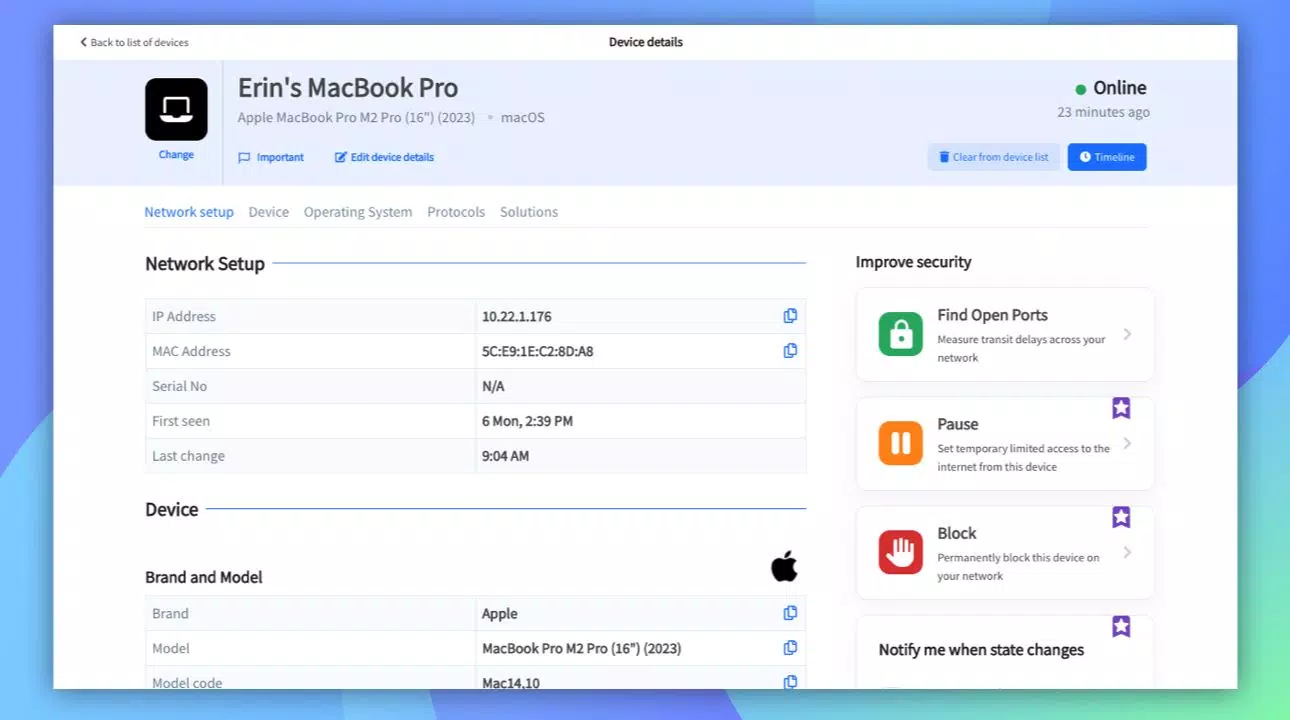
- Device Detection: Fing rapidly scans local networks to identify all connected devices, displaying detailed information such as IP address, MAC address, and manufacturer. This feature is ideal for users who want to verify which devices are accessing their network, helping detect unknown or unauthorized connections.
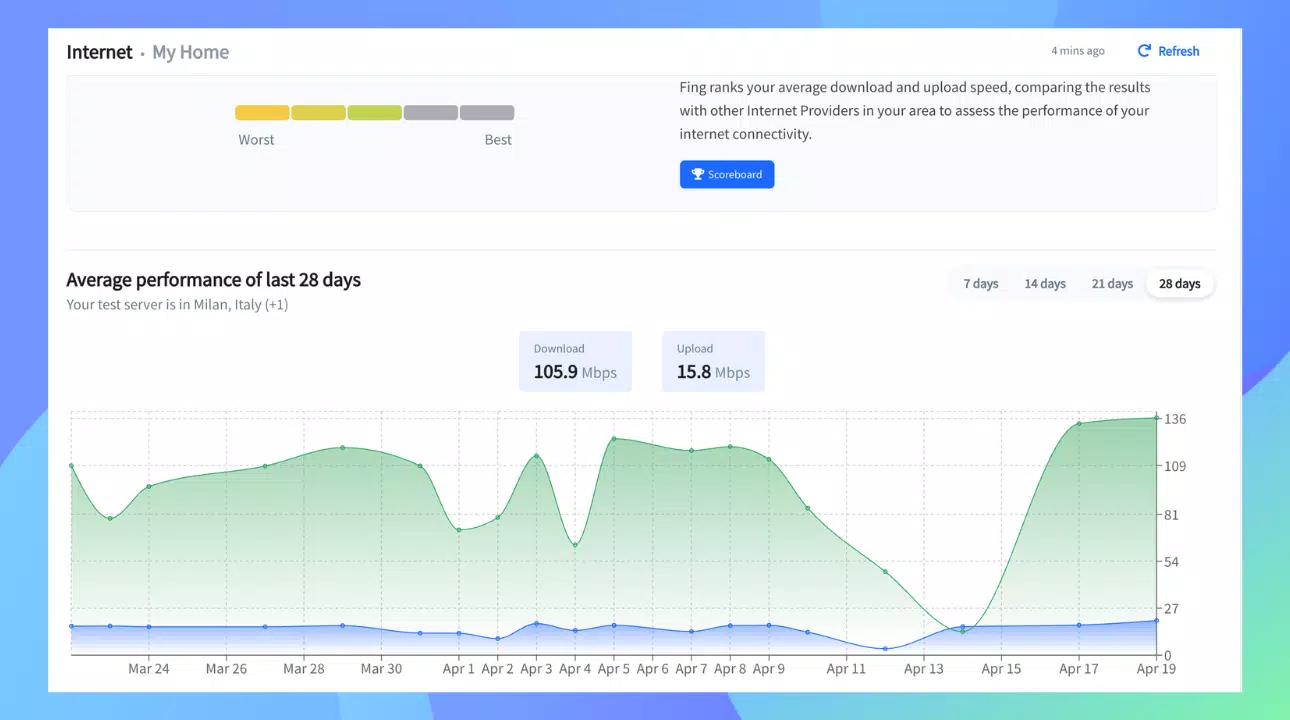
- Speed Testing: The app includes built-in speed tests to measure download and upload speeds, as well as latency. This allows users to compare actual performance against their ISP’s advertised rates, making it a reliable tool for broadband monitoring and troubleshooting.
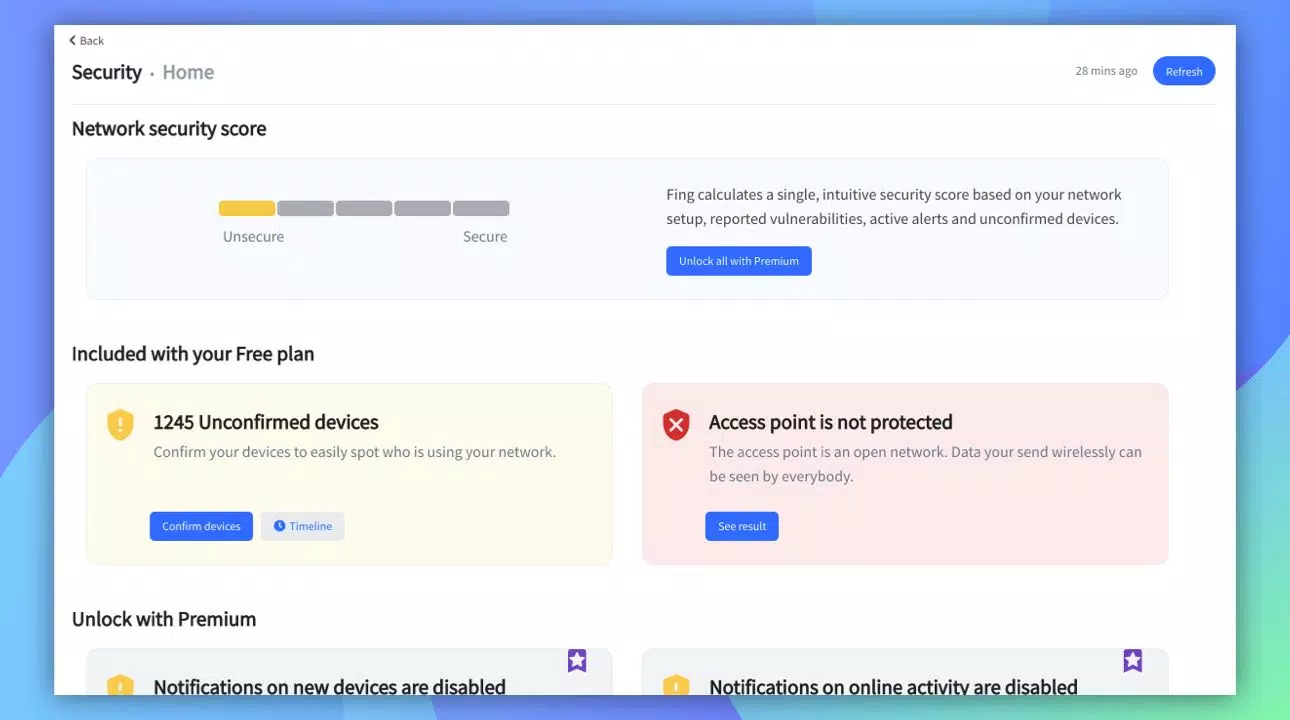
- Network Security Alerts: Users receive real-time notifications when new devices connect to their network or when potential vulnerabilities are detected. This proactive approach helps prevent unauthorized access and enhances overall network security.
- Hidden Camera Detection: Fing can scan networks to detect devices that may be used as hidden cameras or surveillance tools. This feature is especially useful when connecting to public or temporary networks, offering peace of mind in unfamiliar environments.
- Automated Reports: The app generates monthly network status reports that track performance trends, device activity, and changes over time. These insights help users understand long-term network behavior and identify patterns that may indicate issues.
Each feature is designed to serve a practical purpose. For example, a remote worker can use device detection to ensure no unauthorized devices are using their home network, while a traveler might use hidden camera detection before connecting to a hotel Wi-Fi. Speed testing helps consumers validate their internet service, and automated reports provide a historical view of network health, supporting informed decision-making.
Interface, UX & Performance
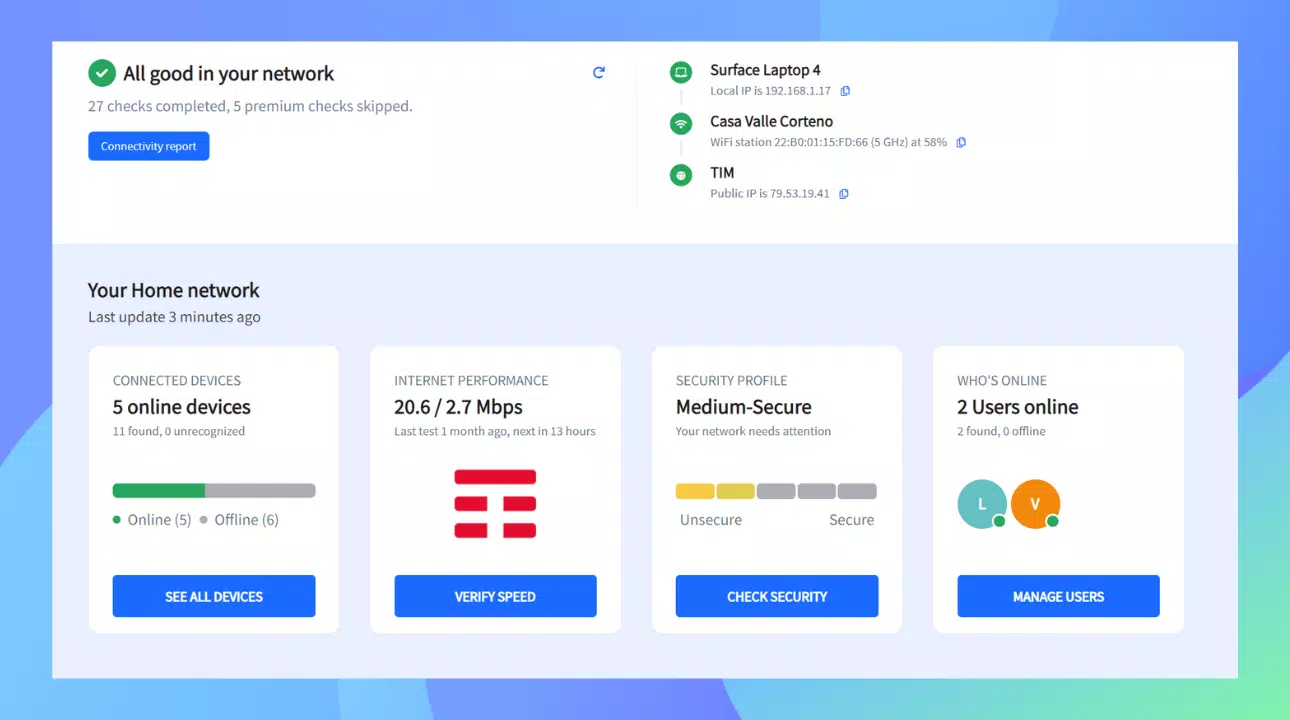
The user interface of Fing Network Scanner is clean, intuitive, and optimized for mobile use. The main dashboard presents a clear overview of connected devices, network speed, and security status, allowing users to quickly assess their network’s health at a glance. Navigation is straightforward, with clearly labeled sections for scanning, speed tests, reports, and settings. The visual layout uses color-coded indicators to highlight potential issues, enhancing readability and reducing cognitive load.
Interaction is smooth, with minimal lag during scans and real-time updates. The app responds quickly to user inputs, and transitions between screens are fluid. Although the developer did not list formal performance metrics, the app maintains stability across various Android devices, suggesting efficient resource management. Battery usage and background performance appear to be well-balanced, which is essential for a tool that may run periodic scans.
Responsiveness is consistent, even on mid-tier devices, and the app remains functional during extended use. The design prioritizes usability over visual flair, focusing on delivering information clearly and efficiently. No crashes or freezes were reported during standard operation, indicating strong stability. Overall, the UX aligns with modern mobile standards, offering a seamless experience for both novice and experienced users.
Platform Compatibility & Technical Requirements
Fing Network Scanner is available exclusively on the Android platform. The current version is 2024.3.2, with a file size of 12.8 MB, making it a lightweight download suitable for most smartphones and tablets. The app is free to install and use, with optional premium features accessible through in-app purchases.
The developer did not specify minimum OS requirements or device compatibility details. However, given its widespread use and lightweight footprint, it is likely compatible with a broad range of Android devices released in the last five years. Users should ensure their device is running a supported version of Android, though specific details were not disclosed. The app does not require root access or special permissions beyond standard network and location access, which are necessary for accurate scanning.
Pros and Cons
Pros
- Lightweight and fast-loading with a small file size of 12.8 MB
- Comprehensive device detection with detailed information
- Real-time network security alerts for unauthorized access
- Integrated speed testing to verify broadband performance
- Hidden camera detection enhances privacy on public networks
- Automated monthly reports for long-term network monitoring
- Free to download and use with optional premium upgrades
Cons
- Specific OS requirements were not listed by the developer
- Compatibility with older Android versions is uncertain
- Some advanced features may require a paid subscription
- Limited to Android platform; no iOS version available
- Depends on network permissions, which may raise privacy concerns for some users
FAQ
Is Fing Network Scanner safe to use?
Yes, Fing Network Scanner is designed with user privacy in mind. It does not collect or transmit personal data without consent. The app only accesses network information necessary for scanning and diagnostics, and all data remains on the device unless shared manually.
Can I use Fing on any Android device?
While the app is compatible with most Android smartphones and tablets, specific compatibility details were not provided by the developer. It is recommended to install the latest version from the official store to ensure optimal performance.
Does Fing require a constant internet connection?
Basic scanning and device detection can be performed offline. However, features like speed testing, automated reports, and security alerts require an active internet connection to function properly.
Are there any hidden costs?
The app is free to download and use. Some advanced features, such as detailed analytics and extended monitoring, are available through a premium subscription. These are optional and do not affect core functionality.
How often should I scan my network?
Regular scanning is recommended—weekly for home networks and before connecting to public Wi-Fi. This helps detect new devices, potential threats, or performance issues early.
Final Thoughts
Fing Network Scanner stands out as a reliable, feature-rich tool for anyone seeking greater control over their network environment. Its combination of device detection, speed testing, security alerts, and hidden camera detection makes it a must-have utility for home users, remote workers, and privacy-conscious individuals. The clean interface and efficient performance ensure a smooth experience across devices, while the free availability lowers the barrier to entry.
Although it is currently limited to Android, its robust functionality and proven track record justify its use. For those looking to monitor network health, verify internet speeds, or protect against digital intrusions, Fing delivers tangible value. The automated reporting feature adds long-term insight, turning raw data into actionable intelligence.
Download Fing Network Scanner now


